Beginner Guide
Download the apps, create an API Key, import CC Switch, and restart ChatGPT (Codex).
You only need four steps: download → create an API Key → import with CC Switch → restart ChatGPT (Codex).
1. Download
ChatGPT (Codex)
https://codexapp.agentsmirror.com/CC Switch for macOS
https://gettoken.dev/api/downloads/cc-switch?target=client&platform=macosCC Switch for Windows
Download CC Switch for Windows
https://gettoken.dev/api/downloads/cc-switch?target=client&platform=windowsOpen CC Switch once after installation.
2. Create an API Key
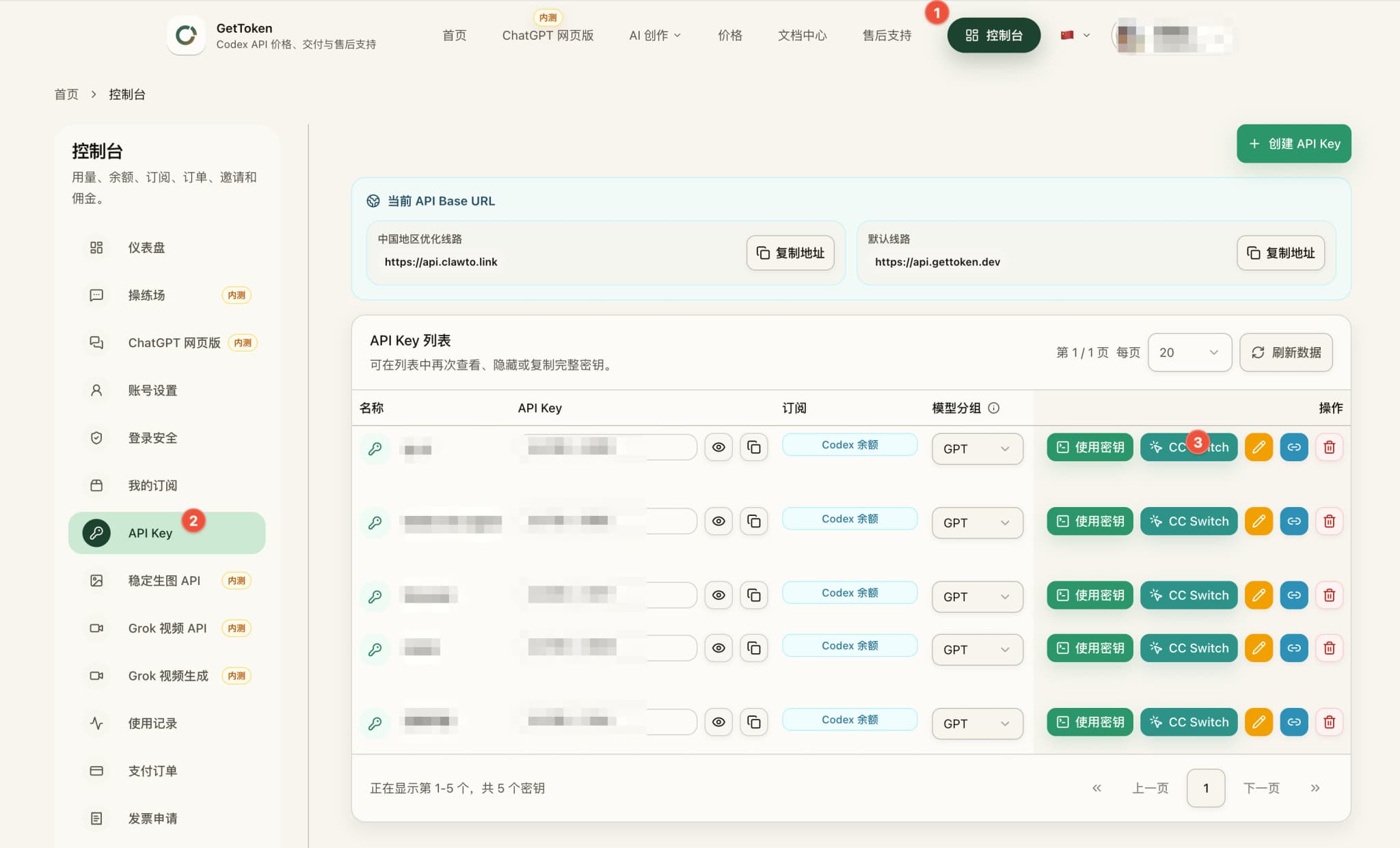
Open the GetToken API Keys page
https://gettoken.dev/console/api-keys- Sign up for or sign in to GetToken.
- Click
Create API Key. - Click
CC Switchbeside the new key.
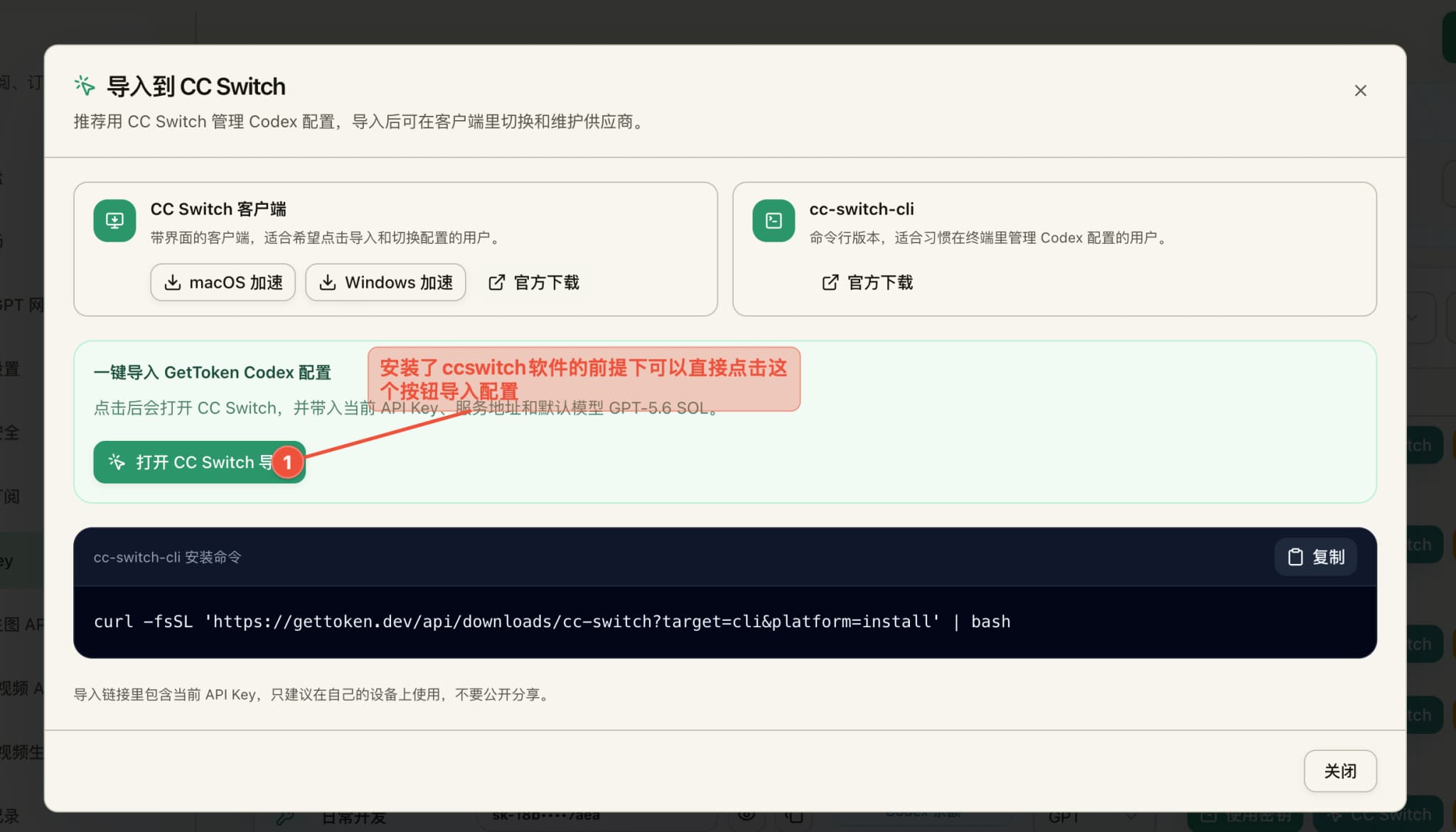
3. Import with CC Switch
Click Open CC Switch Import and allow your browser to open CC Switch.
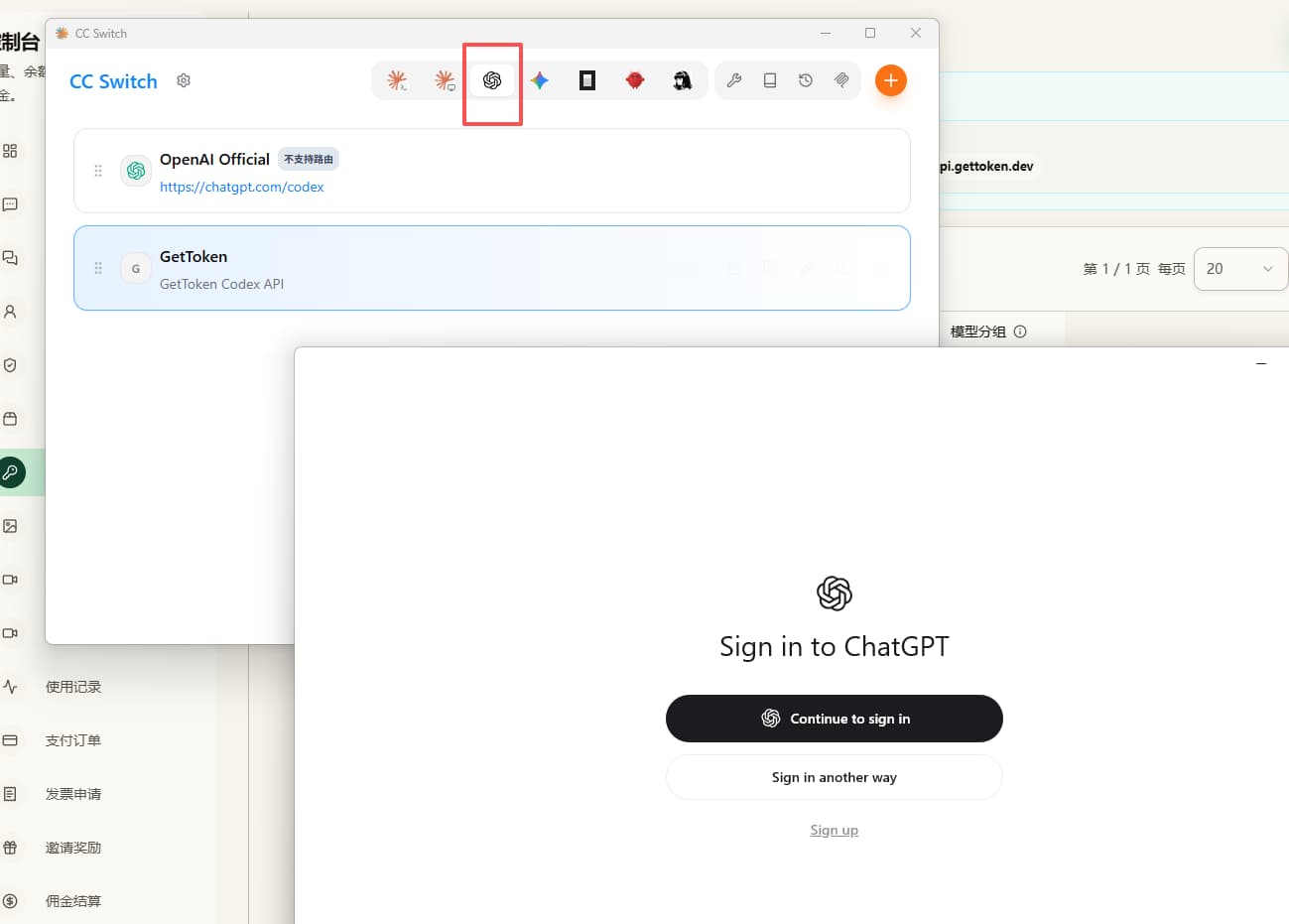
Open the Codex / ChatGPT tab, select GetToken, and make sure it is active.
4. Restart and verify
Quit ChatGPT (Codex) completely and open it again. Create a new conversation and send:
HelloIf the app returns a normal answer, the GetToken configuration is working.
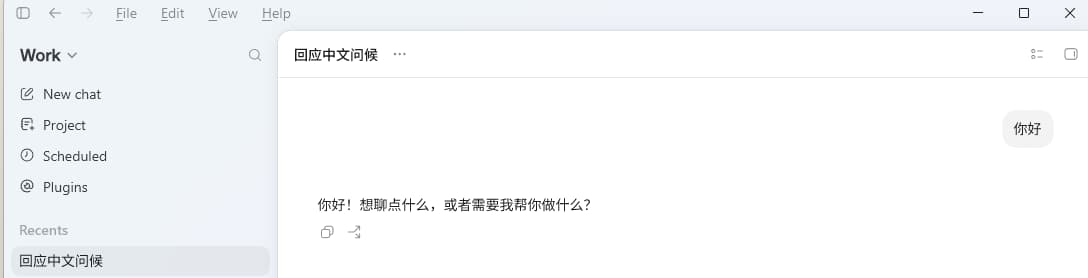
If you receive a normal response, the setup is complete.