GetToken
  • Home
  • Model Plaza
  • Pricing
  • Account top-up
  • Docs
Console
GetToken

Product

  • Model Plaza
  • Plans
  • Account top-up
  • Image generation
  • Desktop download

Resources

  • Docs
  • Support
  • FAQ

Legal

  • Legal
  • Terms
  • Privacy
  • Contact

Contact

WeCom
WeCom
TG group

© 2026 GetToken. All rights reserved.

A local companion for Codex · Windows / macOS

GetTokenSwitch

New model. Same workflow.

Use DeepSeek in Codex. Switch accounts and pick up your task. Bring installation, network access and model setup into one place.

Download latestFind your use case
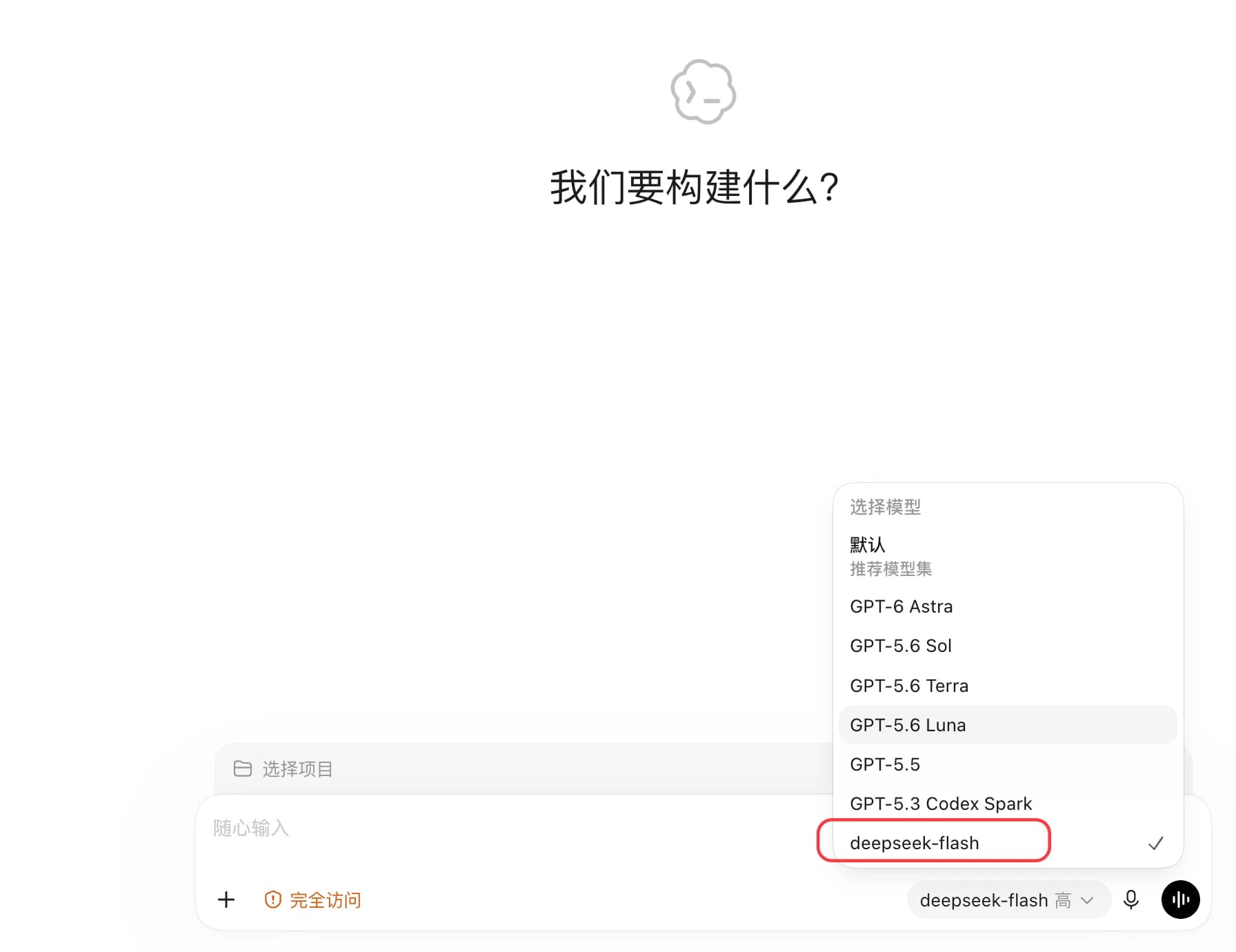
Codex model menu with deepseek-flash selected
  • Third-party models inside Codex
  • Switch accounts, pick up the conversation
  • Installation and network setup together

GetTokenSwitch / Codex

The setup should not stop the work.

From installing Codex to switching models mid-project, take care of the steps that interrupt your flow.

Different model. Familiar workflow.

Want DeepSeek without learning another tool?

Add your model service, then choose a model right in your Codex chat. Keep your familiar message box, projects and tasks instead of copying requirements between apps.

  • Choose a model right in your chat
  • Open a previous conversation and pick up your task

Available models and features depend on the service you add.

Choose DeepSeek inside Codex

Switch accounts. Pick up the task.

Hit your account limit halfway through?

Keep official accounts and model services together. Switch to an account with available quota, then reopen your chat instead of explaining the task again.

  • Manage multiple accounts in one place
  • Switch accounts without starting the explanation over

Switching accounts restarts Codex. Wait for the current reply to finish first.

Choose the account you want to use · Example view

Connect first. Get to work.

Have an account, but cannot reach the login page?

Enable network optimization for help reaching the official login page. Check available connections and remaining data in the app, with less guesswork when a connection fails.

  • Choose and test available connections
  • See remaining data at a glance

Requires GetToken sign-in and available data. Results vary with network conditions.

Turn on network optimization here · Example view

From installation to everyday work.

Take care of the steps before and after your first conversation.

Windows installation

Skip the Microsoft Store detour

No hunting for installers or working around Store access. Follow the guided setup to download and install Codex.

Third-party services

Keep using the service you already have

Add your own model service once, then switch to it when you need it without setting everything up again.

More models

More choice in the same Codex

Add models such as DeepSeek and Kimi through your provider, then use them in the Codex you already know.

Cursor

Keep working in your editor

Prefer writing code in Cursor? Set up a supported service with one click and use it there. Cursor's paid features still require a separate subscription.

Usage and spending

See where your quota goes

The GetToken workspace shows supported account usage, costs, daily totals and model consumption, helping you understand your spending.

Conversation history

Keep long-running work organized

Organize and save useful conversations, then open them again when you need them. Pick up unfinished tasks without explaining the background again.

Three steps to start

Install the tool, add your account and get back to Codex.

01

Download GetTokenSwitch

Choose the installer for Windows or your Mac chip and follow the setup. Installing Codex on Windows does not require the Microsoft Store.

02

Connect an account or service

Follow the prompts to add your official account or model service. Try network optimization if the login page will not open.

03

Start your task in Codex

Open Codex, choose a model and start a conversation, or open a previous chat to pick up your task.

Download the latest version

Choose the version for your computer, then follow the installation guide.

Current version: v2.0.13Published: Oct 15, 2026

Windows

v2.0.13

For Windows 10 / 11 (64-bit)

Download for Windows

macOS

v2.0.13

For macOS 12.0 or later; find your chip in About This Mac

Download for M-seriesDownload for Intel

Linux

v2.0.13

DEB (Ubuntu / Debian), RPM and AppImage for x64 and ARM64. A compatible desktop environment and system libraries are required.

Download DEB (x64)Download RPM (x64)Download AppImage (x64)Download DEB (ARM64)Download RPM (ARM64)Download AppImage (ARM64)

Download from this page. Contact support if you see a security warning or are unsure which version to choose.

System requirements

  • Windows 10 / 11 (64-bit)
  • macOS 12.0 or later
  • Linux x64 / ARM64: built on Debian 12; compatible glibc and WebKitGTK 4.1 required. RPM distributions await installation testing.
  • Follow the installation guide, with nothing extra to prepare

Frequently asked questions

Less setup. More finished work.

Installation, network access, accounts and models. Let GetTokenSwitch handle the setup while you focus on the task.

Download the latest versionSee pricing

Continue with GetToken

Compare plans, follow the setup guide, or check product and support details.

Pricing

Compare balance, subscription, and web plans.

ChatGPT Web

Use ChatGPT in the browser without API client setup.

Quick start

Create a key and complete your first API setup.

FAQ

Check short answers about purchase and usage.